


Home Security Camera - SeeCiTV
4.21.93K Reviews
App Specs
- Version
- 7.8
- Updated On
- License
- Free
- Downloads
- 1,000,000+
- Developer
- Geny Studio
- Categories
- House & Home
- Platform
- Android
Screenshots
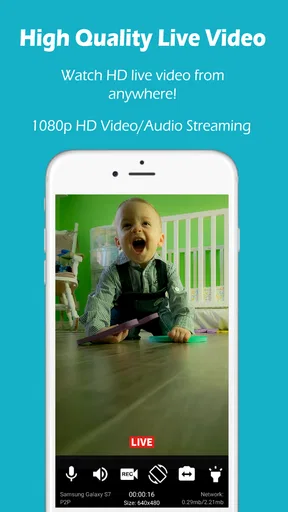
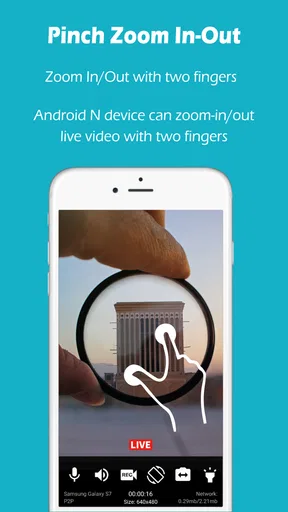
 Analysis by AppCompare
I like the idea behind Home Security Camera - SeeCiTV more than the idea of buying another gadget: it gives an old phone a possible second life as a camera for a home, pet, or baby. That makes it appealing for people who want a simple way to check a familiar room without immediately committing to a dedicated camera. Its first-week charm is easy to understand, but the more important question is whether setting up and maintaining a spare-phone camera continues to feel worthwhile after the novelty wears off.
Getting Started with SeeCiTV
First things first, the installation was a breeze. Once downloaded, the setup was straightforward, guiding me through the process of linking my cameras and devices. In no time, I was ready to start monitoring. The app is free to install, and optional in-app purchases range from $0.99 to $9.99 per item, so I would check what a particular paid option covers before relying on it as part of a daily routine.
What I loved right off the bat was how user-friendly the interface is. It's clean and intuitive, which means you don't need to be tech-savvy to navigate through the app. With just a few taps, I was able to set up my home network of cameras and start streaming live footage. The practical appeal is strongest when you already have a spare phone and a clear, modest goal: checking one room, rather than building a full security system.
What the First Week Gets Right
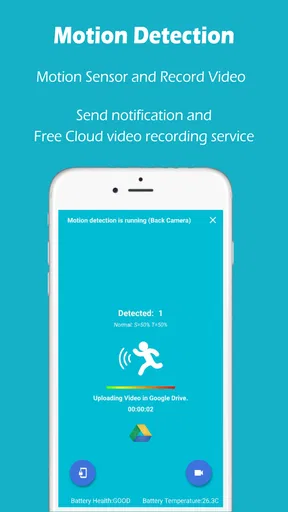
One of the standout features of SeeCiTV is its motion detection capabilities. The app sends real-time alerts whenever it detects movement, which is perfect for staying informed without having to constantly monitor your screen. I found this particularly useful when I was away from home, giving me peace of mind that everything was in order. In everyday use, I would treat an alert as a prompt to look in, not as proof that something is wrong; a pet crossing the room or ordinary household activity can make notifications less meaningful if they arrive too often.
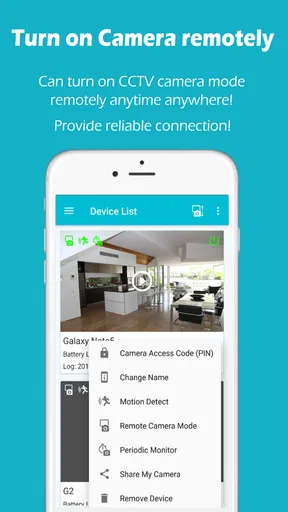
Another cool feature is the ability to connect multiple cameras. Whether you have one camera or a dozen, SeeCiTV handles them all seamlessly. I was able to switch between camera views effortlessly, which is a huge plus if you have a sprawling setup. Still, the old-phone approach works best when each device has a deliberate job. Before mounting anything, I would name or otherwise distinguish each camera in a way that makes sense to me, then test the views from the place I normally check them. That small setup habit can save fumbling when I want a quick look at a particular room.
Useful Routines, Not Just a Novelty
A realistic use is checking on a pet while running errands: leave a spare phone positioned toward the area where the animal usually rests, then open the monitoring app when curiosity strikes. For a baby, I would see it as a convenient extra view during ordinary moments, not a replacement for attentive supervision or purpose-built equipment. The same idea suits a quiet entryway or a room where I want occasional reassurance. The point is not to watch a live feed all day; it is to make a quick check easy enough that I will actually use it.
To make that routine dependable, I would choose a stable surface, frame only the space I need, and check the image before leaving. A phone angled toward a window can end up showing glare or a changing view rather than the useful part of the room. I would also keep the camera device somewhere it is unlikely to be knocked over and make sure its charging arrangement is practical. These are ordinary setup details, but they decide whether the phone remains a camera for weeks or gets unplugged and forgotten after a few days.
Worth Reading Before You Choose

EA SPORTS FC Mobile 26 Is a Bigger Football Game, but It Takes Time

Flipboard Shows What News Apps Must Do Beyond the Feed

Switching to Android Auto Means Rethinking Your Driving Routine

Google Calendar Makes a Crowded Week Easier to Manage

Ludo King Makes the Most of the Minutes Between Plans

Baby Panda World Brings Quick Play to Modern Phones, but Its Game Library Feels Busy
Privacy and Practical Boundaries
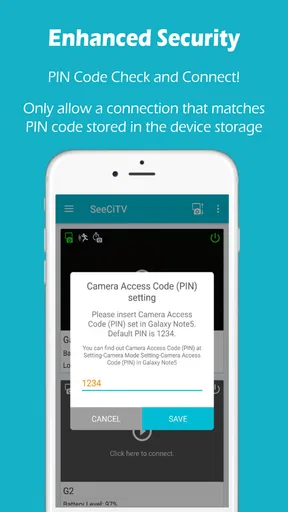
Security is obviously a big concern when it comes to surveillance apps, and SeeCiTV doesn’t disappoint. The app boasts strong encryption and secure cloud storage options, ensuring that your data remains private and protected. I appreciated the extra layer of security, knowing my footage was safe from prying eyes. Since a camera captures a private space, I would still be thoughtful about where it points and who can access the monitoring setup. I would avoid aiming it at areas where household members or guests reasonably expect privacy, and I would tell other people in the home when a camera is in use.
The old-phone format also changes the trade-off compared with a dedicated home camera. A dedicated device is usually the more natural choice for someone who wants a fixed installation and a purpose-built routine; SeeCiTV is more attractive when avoiding another purchase and reusing a spare phone matter more. A phone can be moved or repositioned easily, but it also needs to remain available as a camera rather than returning to everyday use. If the device is your only spare for calls, travel, or emergencies, tying it to monitoring may not be a worthwhile compromise.
Performance and Reliability
In terms of performance, SeeCiTV is quite impressive. The video quality is crisp, and the app runs smoothly without any noticeable lag or glitches. I tested it on both Wi-Fi and mobile data, and it worked flawlessly in both scenarios. The reliability here is top-notch, making it a dependable choice for continuous monitoring. In practice, I would test the connection from outside the home before trusting a camera for an important check. A quick successful view while setting up does not tell me how useful the arrangement will be in every situation.
Battery life is another consideration, especially if you're using mobile devices as cameras. I found that the app is optimized to minimize battery drain, which is a lifesaver for long-term use. Even so, I would plan around power rather than assume an old phone can stay useful indefinitely without attention. A charging cable can keep the device ready, but the placement should be secure and the cable should not create a trip hazard or leave the phone easy to pull down. Checking that the phone is still powered and in position can become a small recurring chore.
Month-to-Month Value and Maintenance
After the first week, the value comes down to whether the camera answers a question I regularly have. If I check on a pet during the workday or want an occasional view of a particular room, reusing an old device can keep the setup useful without turning it into a major project. If I rarely open the feed, the spare phone is probably better used for something else. That is why I would begin with one camera and a specific reason to use it, then add another only if I find myself wishing for a second view.
Maintenance is less about complicated technical work and more about remembering the basics: keep the camera device charged, check that it has not shifted, and make sure the viewing phone can still reach it when needed. I would make a quick test part of a familiar routine, such as checking the camera before leaving for a longer outing. This catches simple problems while there is still time to fix them. It also helps distinguish a genuinely useful alert from a setup I have stopped paying attention to.
Recurring notifications can be another source of fatigue. If ordinary movement repeatedly draws my attention, I may start ignoring alerts, which defeats the reason to use motion detection. I would adjust the camera’s position first so it watches the relevant area rather than every passing movement, and reconsider whether I need that view at all if it still produces too many interruptions. A focused camera is often more useful than several broad views that keep asking for attention.
SeeCiTV is a House & Home app from Geny Studio. It has a 4.2 average from around 17,000 ratings, with about 1.9 thousand written reviews and over 1 million installs. It is rated for Everyone, and its current version is 7.8, with Android 5.0 as the minimum operating-system requirement. Those details make it approachable for many Android users, while the app’s central value remains straightforward: put a phone you already own to work as a camera rather than buying another device just to try home monitoring.
Where Another Option Makes More Sense
I would skip this approach if I needed a highly dependable, permanent security installation, wanted a camera to operate without thinking about an extra phone, or needed a system whose role goes beyond checking a live view. A dedicated camera may suit that job better because it is designed to stay in place. I would also choose a purpose-built baby monitor if a child’s safety is the central concern and I need equipment intended specifically for that responsibility. SeeCiTV makes more sense as a convenient, lower-commitment way to repurpose a phone than as a substitute for every kind of home-security product.
For someone deciding whether to keep it installed, I would ask one simple question after the novelty fades: does this setup make a real check easier, often enough to justify the charging and occasional testing? If yes, the old phone has found a practical second life. If not, there is no need to keep maintaining a camera just because it was easy to set up. The app is free to start with, but the continuing cost is mainly attention: positioning the device well, keeping it ready, and responding sensibly rather than reflexively to alerts.
Wrapping Up
Overall, Home Security Camera - SeeCiTV is a solid choice for anyone looking to enhance their home security setup. It's feature-rich, easy to use, and reliable, ticking all the right boxes for a security app. Whether you're a tech enthusiast or a security newbie, SeeCiTV offers a hassle-free experience that keeps you connected to what matters most. I would recommend it most to someone with a spare phone, a specific room to check, and realistic expectations about what a phone-based camera can do.
If you're in the market for a home security solution, give SeeCiTV a shot. It's like having a virtual guardian, keeping a watchful eye on your home, and it might just become your next favorite app. For me, it earns lasting space when the setup supports a simple habit rather than creating another stream of alerts and upkeep. Start with one useful view, see whether you still rely on it after the first burst of curiosity, and let that decide whether the spare phone deserves to stay on camera duty.
Pros
- Easy setup and installation.
- Real-time video streaming feature.
- Motion detection alerts.
- High-quality night vision.
- Supports multiple cameras.
Cons
- Requires stable internet connection.
- Limited free cloud storage.
- Some features are paywalled.
- Occasional app crashes reported.
- High battery consumption.
FAQs for Home Security Camera - SeeCiTV
What features does the Home Security Camera - SeeCiTV app offer?
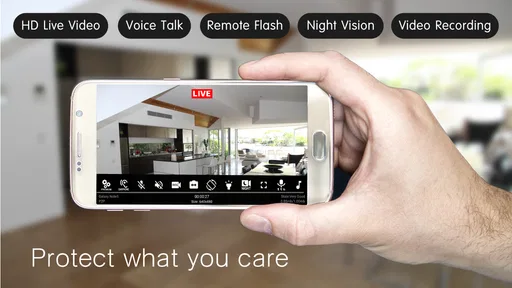
The Home Security Camera - SeeCiTV app transforms your old smartphone into a surveillance camera. It offers live streaming, motion detection, and cloud storage options. Users can access real-time footage, receive alerts on suspicious activities, and manage multiple cameras remotely, ensuring comprehensive home security.
Is the Home Security Camera - SeeCiTV app free to use?
The app offers a free version with basic functionalities such as live streaming and motion detection. However, for advanced features like cloud storage, ad-free experience, and enhanced alert systems, users can opt for the premium subscription plan, which requires a monthly or annual fee.
How secure is the Home Security Camera - SeeCiTV app?
The app employs end-to-end encryption to protect your video streams and data. It ensures that only you can access your footage. Additionally, it regularly updates its security protocols to safeguard against vulnerabilities, providing a secure environment to monitor your home.
What devices are compatible with the Home Security Camera - SeeCiTV app?
The app is compatible with both Android and iOS devices. It requires a minimum operating system version specified on the respective app store. Additionally, it supports integration with multiple smart home devices, enhancing its versatility in various home security setups.
How easy is it to set up the Home Security Camera - SeeCiTV app?
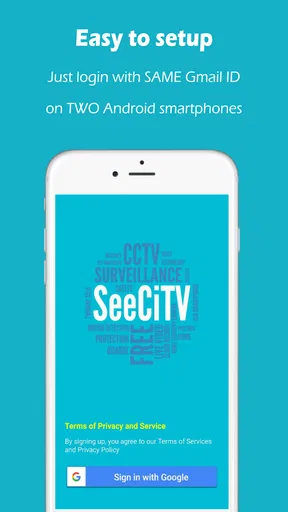
Setting up the Home Security Camera - SeeCiTV app is straightforward. After downloading, users simply log in, pair their old smartphone as a camera, and customize settings like motion detection sensitivity. The app provides a user-friendly interface and a detailed tutorial for seamless installation and configuration.


